Organisational finance in one workspace

Keep money, projects and obligations in the same picture

desc.team brings together bank transactions, journals, payment claims, documents, projects, members and reports. Your team sees the current financial picture while you retain control of access to the data.

A financial overview of projects, money flow and key accounts in one place.

Financial work where the connections stay visible

  • Less manual reconciliation. Import transactions from DKB and PayPal, add Jira CSV data and work from a shared foundation.

  • Clear obligations. Keep payment claims, statuses, settlements, comments and supporting documents alongside the financial record.

  • Project-level control. Link income and expenses to projects and grants, and follow periods, funding limits and balance.

  • Access without excess exposure. Roles and project- or account-specific restrictions help each person see what they need.

Features

Accounting that starts with the transaction

Import bank activity, find records by period, status, account or text, and create journals in context. Maintain a hierarchical chart of accounts, labels and bank accounts so data stays structured.

Transactions, journals, accounts and filters in one connected system.
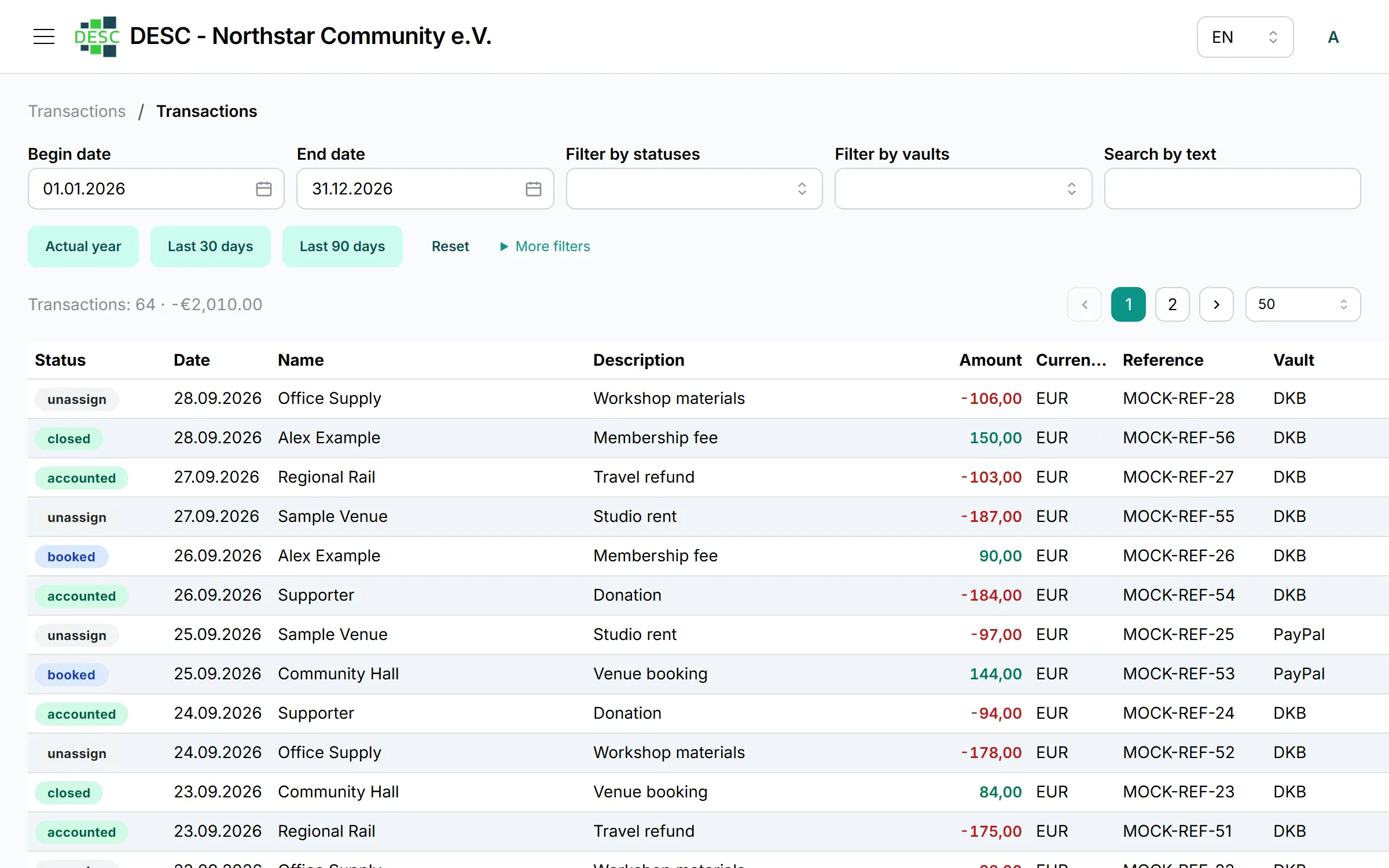
Bank-transaction table with filters and linked journal entries

Payments and documents without scattered files

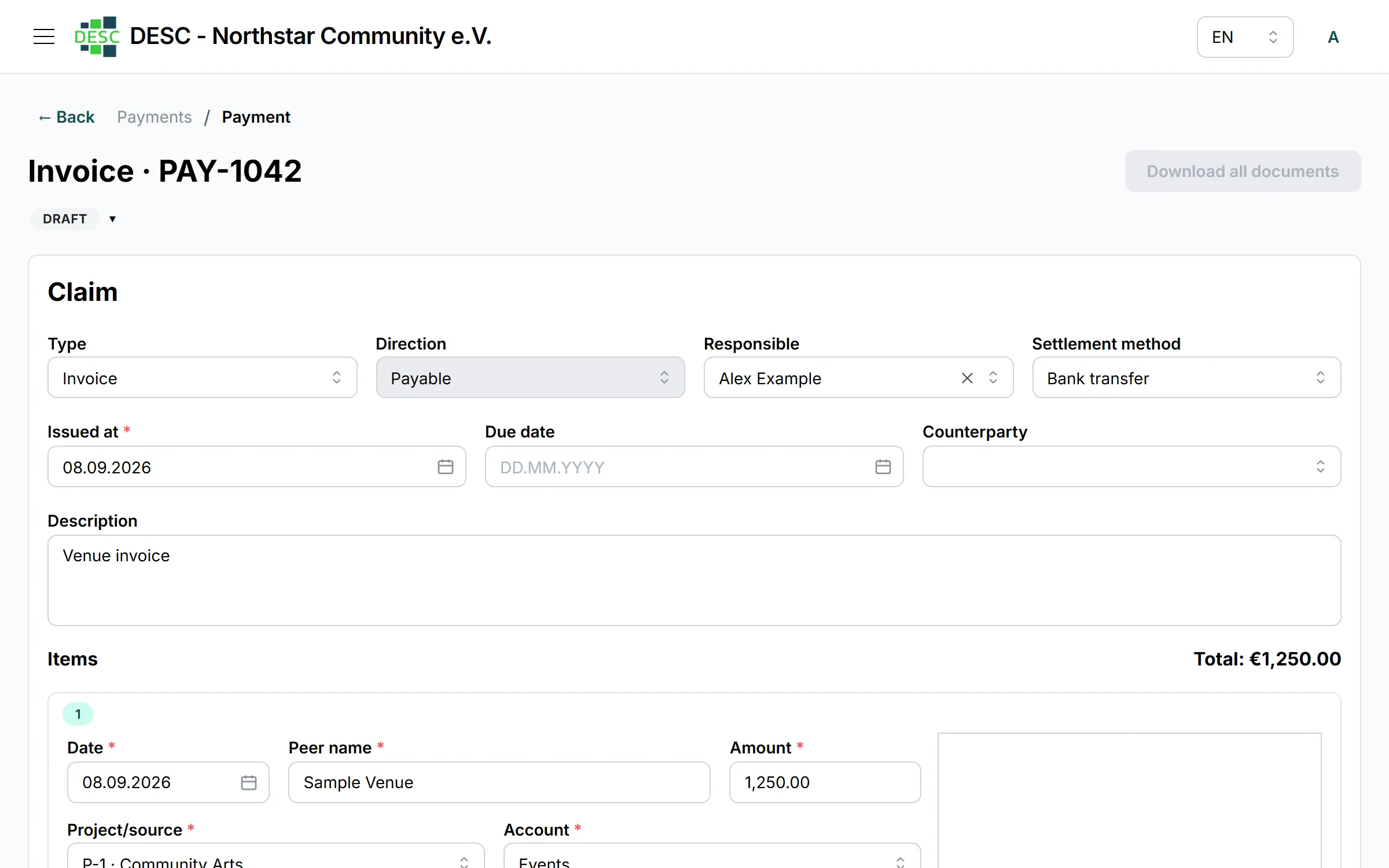
Create payment claims, refunds, advances, expense allowances and other payments. Attach invoices, contracts and other documents, add comments and follow the history. Document recognition helps bring file information into the workflow; the final decision remains with your team.

From draft to settlement, with the supporting evidence close by.

Payment-claim record with documents and processing status

Projects and grants in view

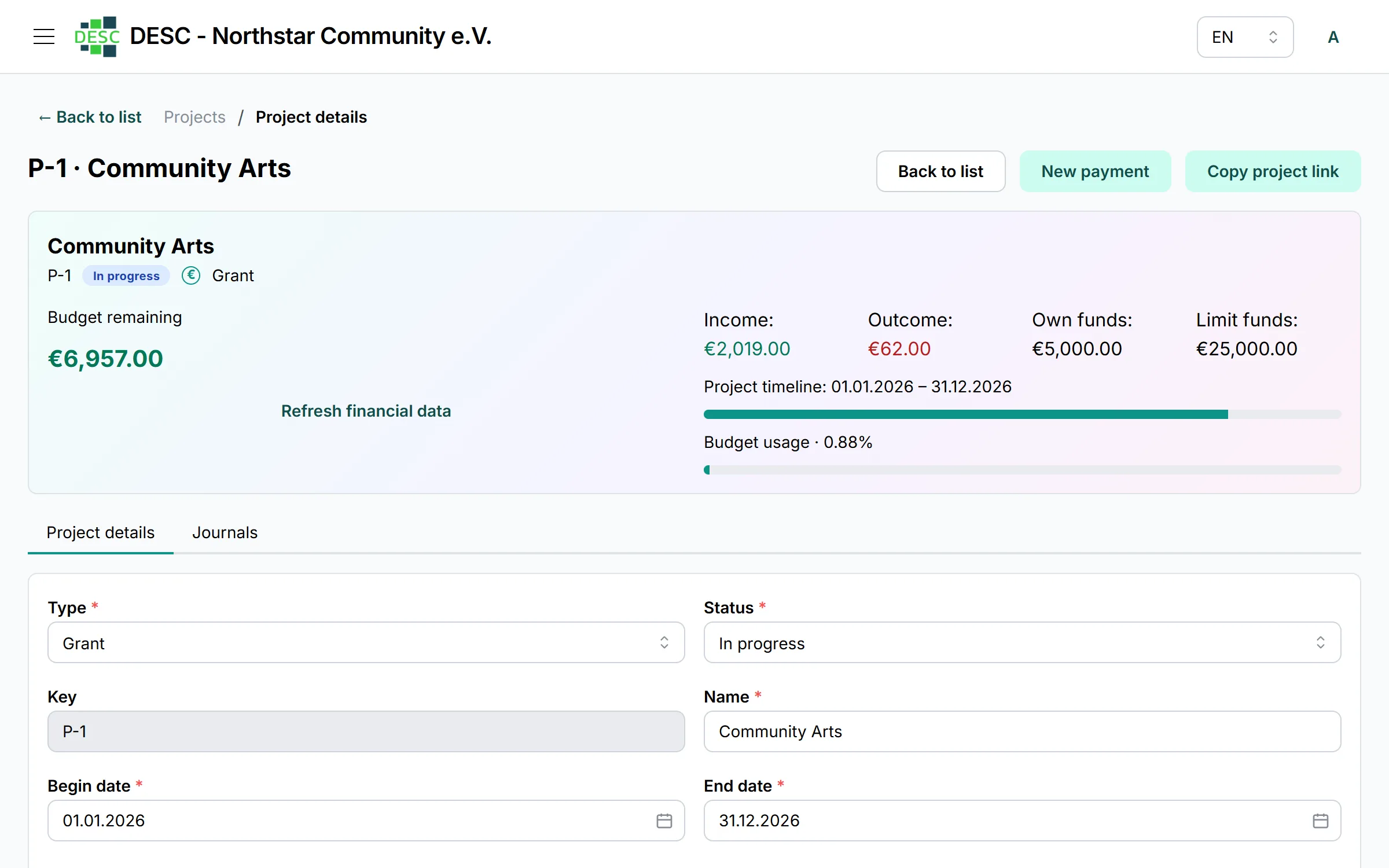
Maintain a project code, period, owner, funding limit, own funds and status. The dashboard and project report show income, expenses and balance, helping your team see where action is needed before a reporting deadline.

The financial picture of a project does not disappear into spreadsheets.

Project record with period, funding, income and expenses

Members and counterparties in the financial process

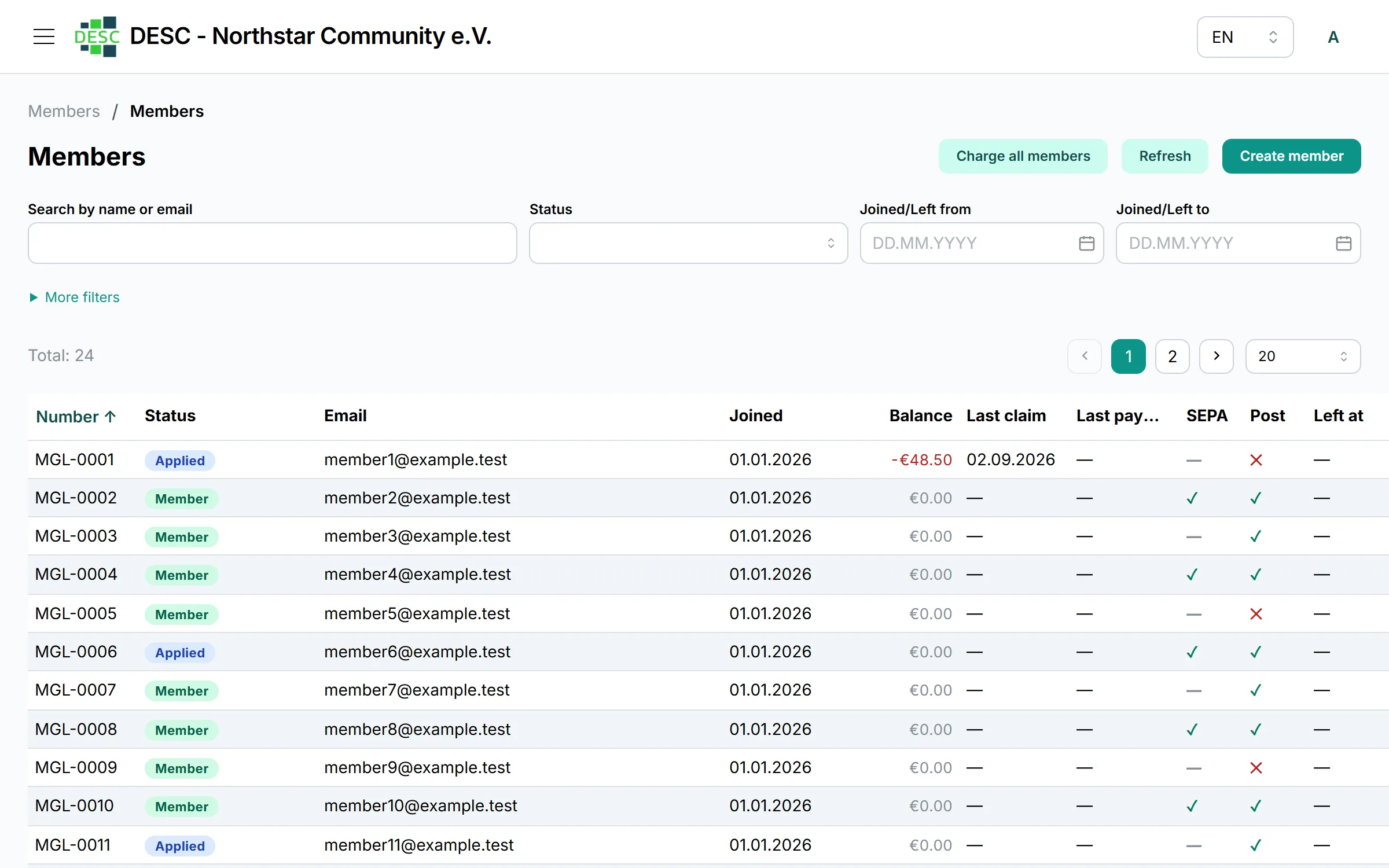
Keep details for people and organisations, contacts and bank information. Manage member statuses, import XLSX data and work with membership-fee claims in a connected process.

Contact, obligation and money movement remain linked.

Members and counterparties list with contact information and statuses
How it works

From incoming data to a usable report

  1. Collect transactions.

    Import bank, PayPal or Jira CSV data.

  2. Run the financial workflow.

    Classify activity, create journals and process payment claims with documents.

  3. Connect it to a project.

    Assign a project, account and responsible person; monitor period and funding.

  4. Share the result.

    Use dashboards, project reports and export formats for the next decision.

See what matters before it becomes urgent

Follow active grant projects, projects in preparation or reporting, leading accounts and monthly income/expense composition. A shared view lets the conversation begin with figures instead of a hunt for files.

Access & control

Work together with clear boundaries

Google or Atlassian sign-in works with roles and access policies. Permissions can be limited not only by action but also by resource, such as an individual project or account. Audit logs help reconstruct administrative and financial changes.

Access can reflect responsibility across the team.

Bring your team’s financial work into one place

Sign in to your workspace, or request access from the desc.team team.

Frequently asked questions

Who is desc.team for?

Organisations that need one workspace for project, grant, membership and operational finance.

Which transaction sources are supported?

The current product supports DKB and PayPal transaction imports plus Jira CSV import.

Can we work with payment documents?

Yes. Payment claims support documents, comments, history and a document-recognition workflow.

How is access managed?

Google or Atlassian sign-in is combined with roles, policies and access restrictions for individual resources.

Can I self-register?

Access is provisioned by the organisation or an administrator. Use “Sign in” or “Request access”.